TestFlight is an app provided by Apple to allow users to test apps before making them publicly available in the App Store.
In order to be able to invite users as testers to TestFlight you first need to make sure the user is added to your App Store Connect account. You can find a complete guide on how to invite users to your account by clicking here.
Below you can find a step-by-step guide on how to invite users to test your app using TestFlight:
1. On App Store Connect, open your list of apps then select the app to which you would like to invite your users as testers, you can use this link.
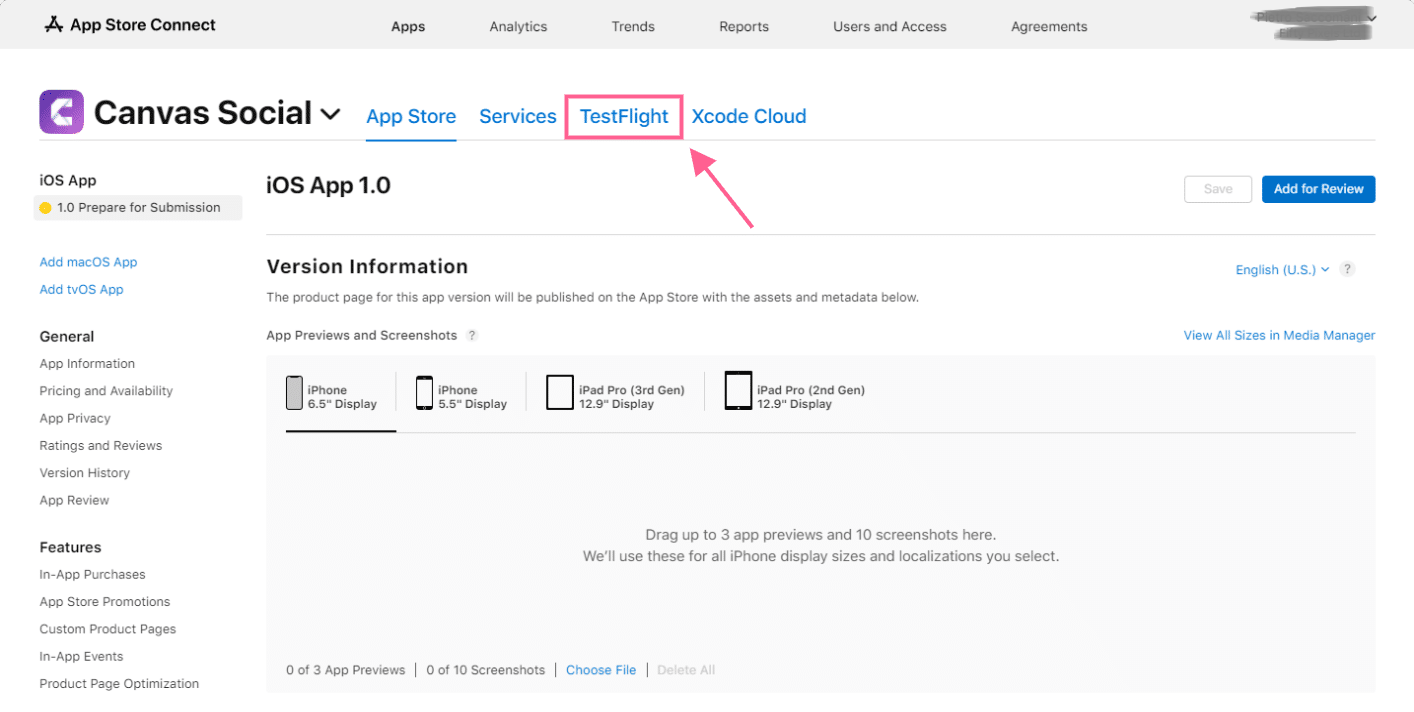
2. On the app details page, click “TestFlight”
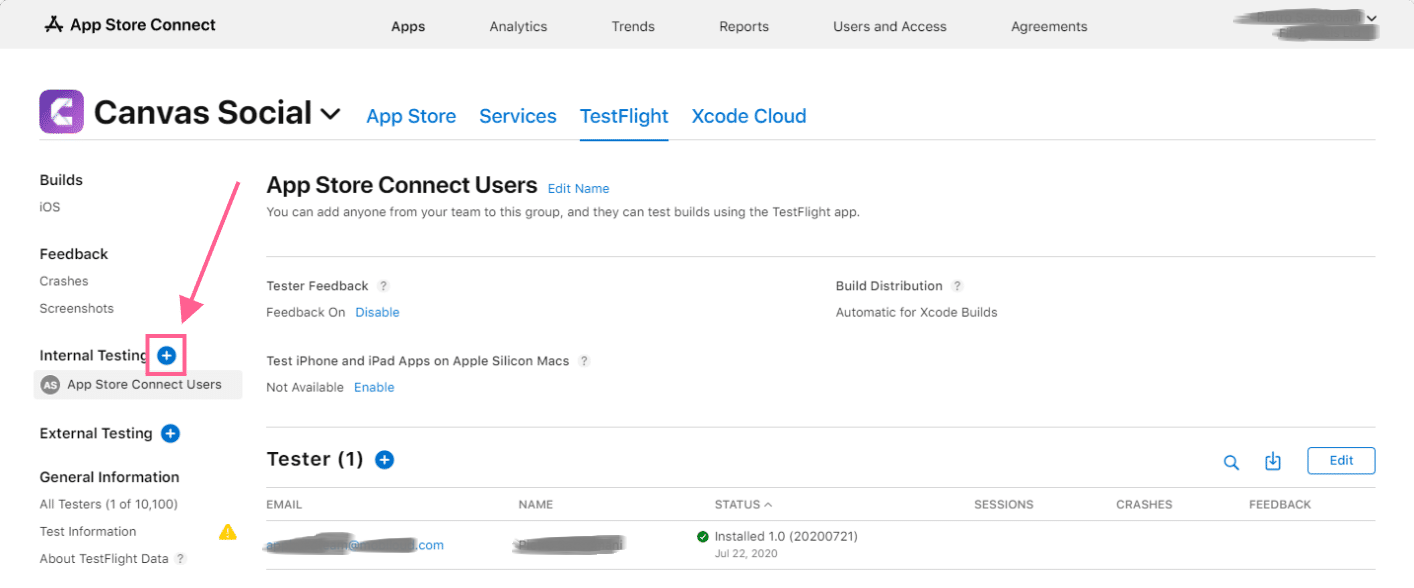
3. You will need to create a new Internal Testing group, you can do so by clicking on the “+” icon
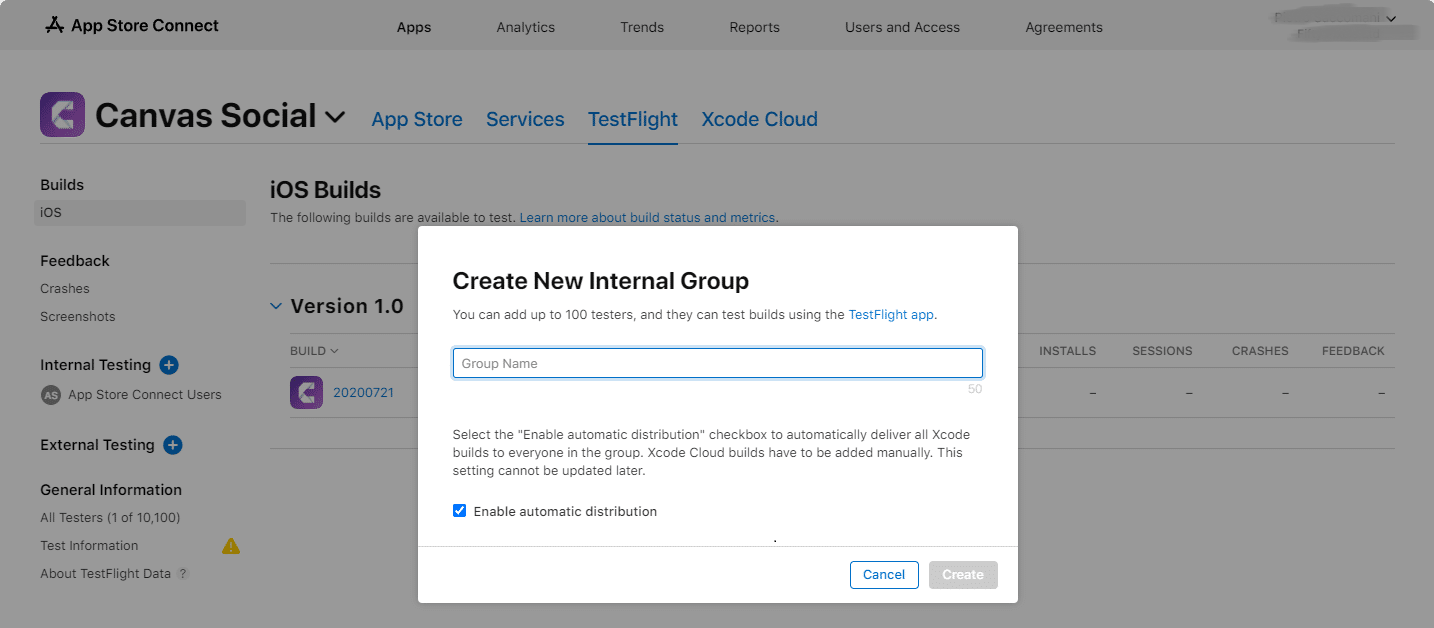
4. Type in the name of your Internal Testing group, the name will be visible to invited testers
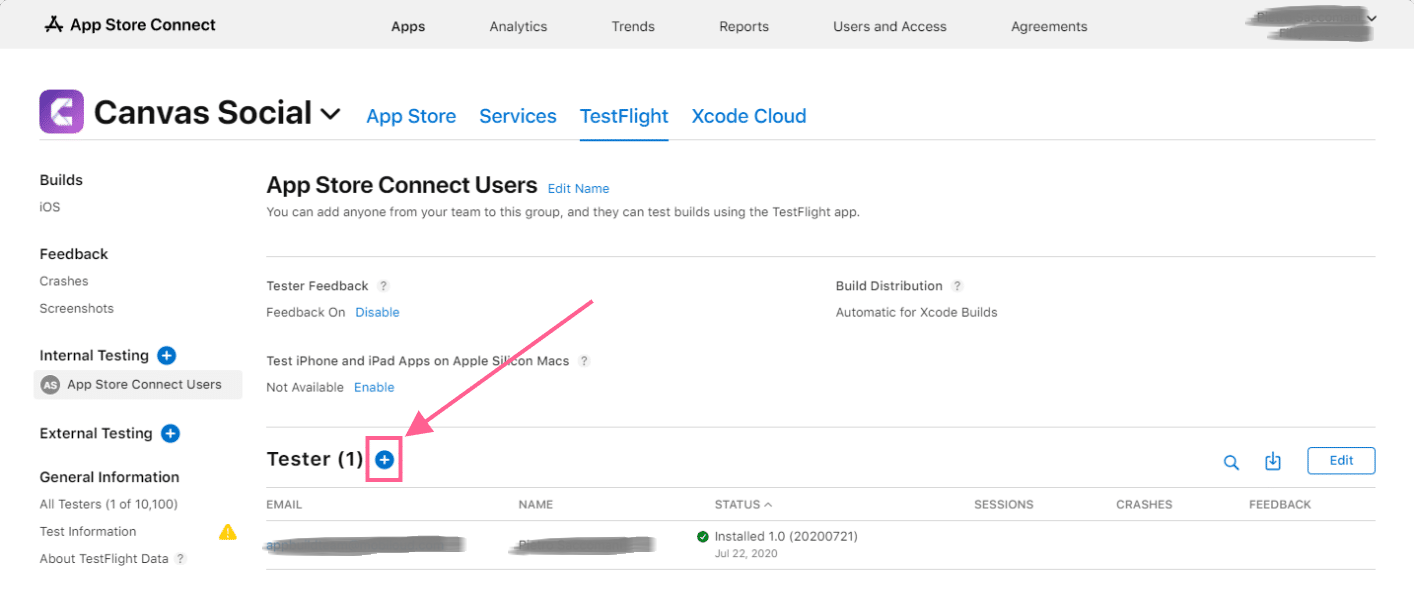
5. With your Internal Testing group created, you can now invite users by clicking on the “+” icon
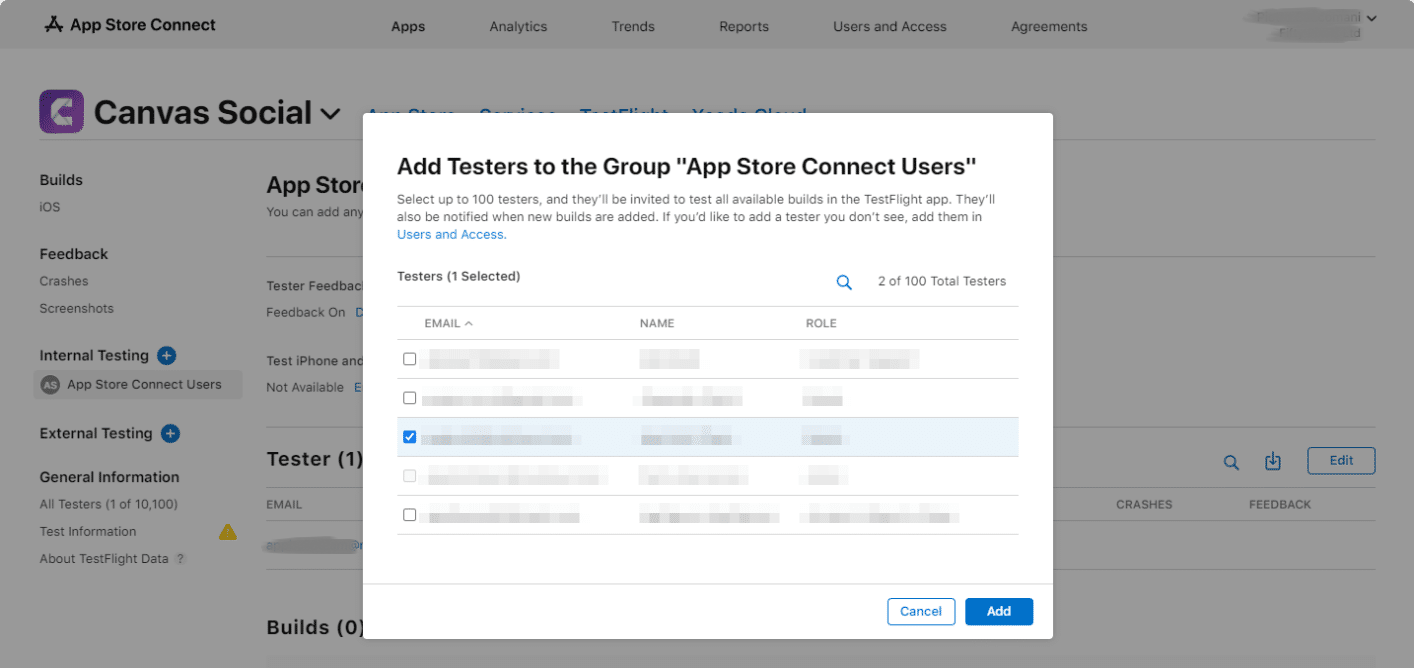
6. Select the users that you would like to add as testers to the app and click “Add”
7. That’s all! The selected users will receive an invitation in their emails, the invitation will include a “Redeem code” which can be used in TestFlight to redeem and install your app for testing purposes.